The title of a user story serves as a concise summary of the story's content. It should be short and descriptive, providing a quick understanding of the story. A good title captures the essence of the user's need or goal without going into detail.
The description is a more detailed explanation of the user story. It typically follows a simple template: "As a [role/persona/type of user], I want [goal/desire], so that [benefit]." This format ensures the story remains user-focused and highlights the value the feature will deliver. The description provides context and clarity, helping the team understand the user's perspective. Although many organisations use this template as a title, it doesn't give you the needed overview.

Acceptance criteria are the conditions that must be met for the user story to be considered complete. These criteria define the boundaries of the story and set expectations for functionality. They serve as a checklist for the development team and ensure that all aspects of the user's needs are addressed. Clear and concise acceptance criteria help prevent misunderstandings and scope creep.
Additional notes or attachments can provide further context or information that supports the user story. This might include design mockups, links to relevant documents, or detailed technical requirements. These supplementary materials help the development team understand and implement the story effectively.
User stories are essential tools in Agile development, clearly and concisely capturing user needs and driving feature development. Here's how user stories work:
As mentioned before, writing user stories involves capturing the needs and goals of the end user in a simple, structured format. You don't have to use templates, but it helps to focus on the correct elements.
The most common template is:
"As a [role/persona/type of user], I want [goal/desire], so that [benefit]."
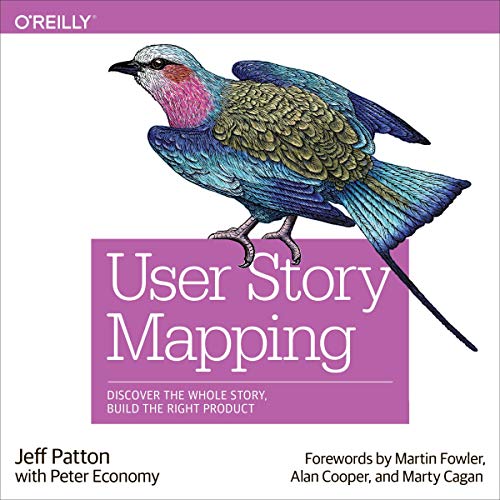
This structure ensures that the story is user-centric, focusing on what the user wants to achieve and the value it brings. A great tool that can help with writing user stories is User Story mapping.
User stories are integral to various Agile frameworks, including Scrum and Kanban. In Scrum, user stories are added to the product backlog and then moved into sprints for development. Each sprint aims to complete a set of user stories, delivering incremental user value.
In Kanban, user stories are pulled from the backlog and moved through different stages of the workflow, such as "To Do," "In Progress," and "Done." This continuous flow helps teams maintain flexibility and respond quickly to changes.
User Stories as the title

Vague Descriptions
Lack of Acceptance Criteria
Technical Focus
Too Large or Complex
No User Involvement
Maarten Dalmijn also wrote a nice post about some mistakes in creating user stories. You can find his post here.